OfficialPremium communication v1.0.0
CRM
Contact management with companies, deals pipeline, and interaction history.
Early access 📅 Updated 2026-03-20
What it does
A local-first contact management and CRM system with companies, deals pipeline, and interaction history — all operated through your AI agent. Store contacts with rich metadata, track deal stages from lead to close, and log every email, call, and meeting in one place.
Ask your AI to add a new contact after a meeting, move a deal to the next pipeline stage, or show you all interactions with a specific company in the last month. The CRM tracks contact details, company associations, deal values, and communication history without requiring a separate app.
All contact and deal data lives as JSON files on your local machine. No HubSpot subscription, no Salesforce licenses, no CRM vendor mining your relationship data. Your professional network stays private and under your control.
Key features
Contact Profiles
Store rich contact information with companies, roles, tags, and custom fields. Link contacts to companies and deals.
01Deals Pipeline
Track deals through customizable stages from lead to closed. See deal values, probabilities, and expected close dates.
02Interaction History
Log emails, calls, meetings, and notes for every contact. Never lose context on a relationship again.
03Smart Queries
Search contacts by company, tag, deal stage, or last interaction date. Find everyone you haven't spoken to in 30 days.
04See it in action
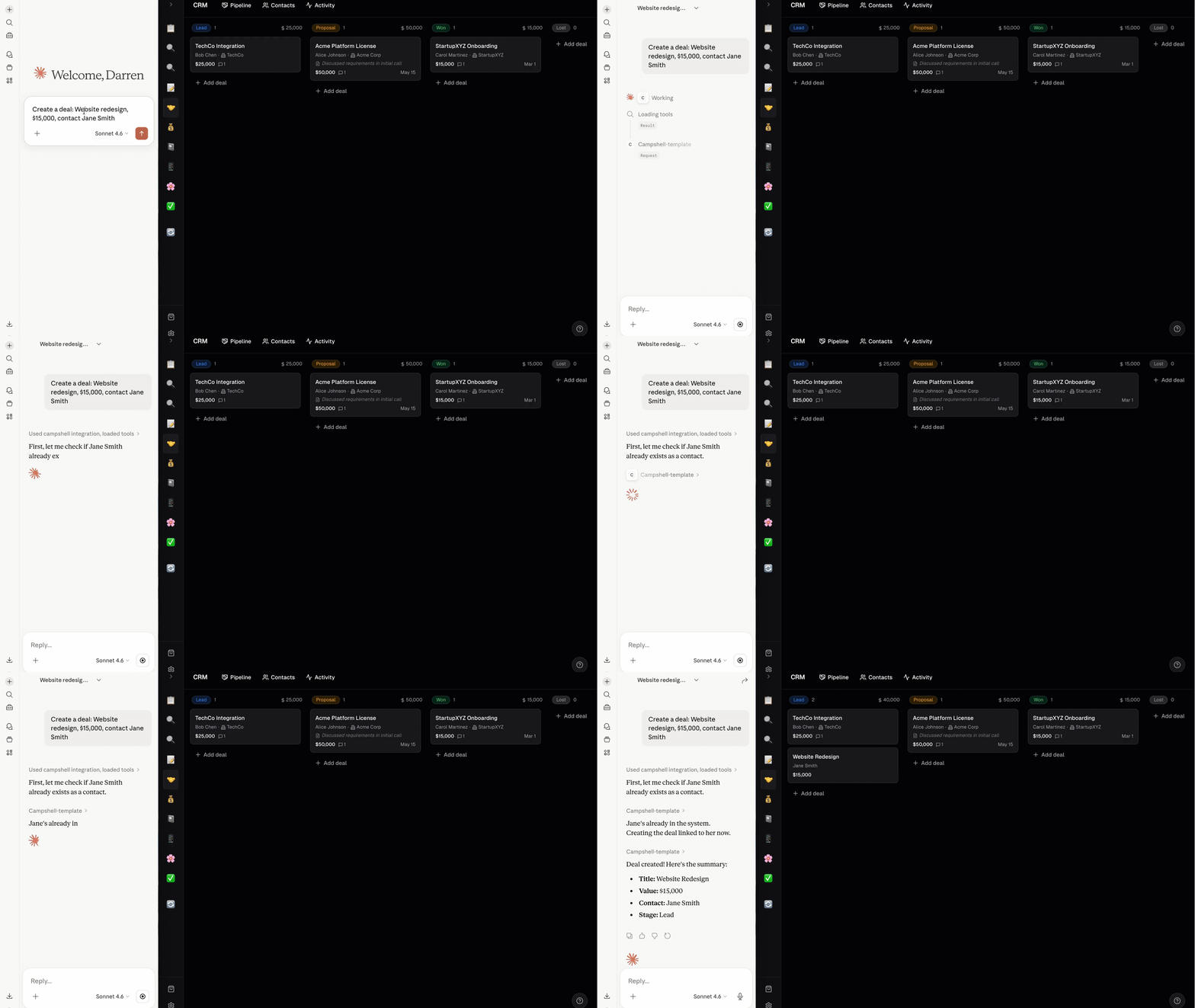
Here's what CRM looks like in the Campshell app.
Try talking to your AI
Just say what you need. Your agent reads and writes CRM data for you.
🦞
Claw
AI Agent · CRM
Add a contact: Sarah Chen, CTO at TechCorp, sarah@techcorp.com
🦞 Claw · CRM
Done! I've updated your CRM. Try asking:
Under the hood
Your data lives as plain JSON files on your machine. No cloud, no lock-in.
File structure
.campshell/crm/
├── manifest.json
├── skill.md
├── contacts/
│   ├── contact-001.json
│   └── contact-002.json
├── companies/
│   └── company-001.json
├── deals/
│   └── deal-001.json
└── schema/
    ├── contact.schema.json
    └── deal.schema.json
Example data
{
  "id": "contact-001",
  "firstName": "Sarah",
  "lastName": "Chen",
  "email": "sarah@techcorp.com",
  "phone": "+1-555-0123",
  "company": "TechCorp",
  "role": "CTO",
  "tags": ["enterprise", "partner"],
  "interactions": [
  ...