OfficialFree productivity v1.0.0
Kanban Board
A task board with columns, cards, labels, and priorities — operated by your AI agent.
Early access 📅 Updated 2026-03-20
What it does
A full-featured task board with columns, cards, labels, and priorities — operated entirely by your AI agent through natural language. Create columns like Backlog, In Progress, Review, and Done, then let your AI assistant move cards, set priorities, assign due dates, and generate progress reports without ever opening a browser.
Unlike traditional kanban tools that require manual dragging and clicking, Campshell's Kanban Board responds to plain English commands. Say "move all completed cards to Done" or "what's overdue?" and your AI handles the rest. Filter by label, sort by priority, and get weekly summaries — all through conversation.
Your board data lives as simple JSON files on your local machine. No cloud sync, no third-party servers, no subscription fees. You own your workflow data completely, and it works offline by default.
Key features
Flexible Columns
Create, rename, reorder, and archive columns to match any workflow — from simple Todo/Done to complex multi-stage pipelines.
01Priority Labels
Tag cards with priority levels, custom labels, and color codes. Filter and sort your board by any combination of labels.
02Due Dates & Reminders
Set due dates on cards and ask your AI agent what's overdue, due today, or coming up this week.
03Board Analytics
Query your board for cycle time, throughput, and bottleneck analysis. Get weekly progress summaries on demand.
04See it in action
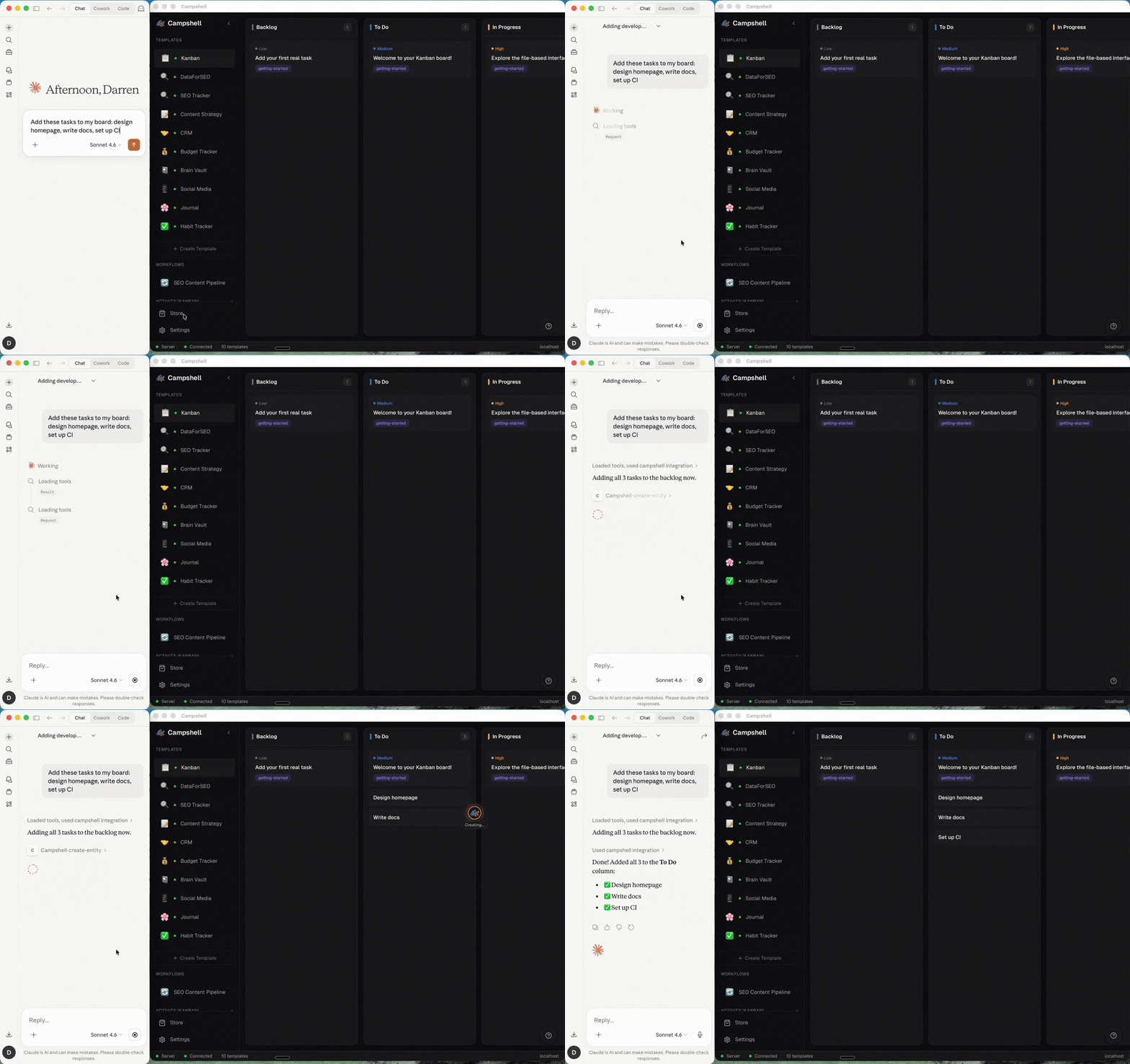
Here's what Kanban Board looks like in the Campshell app.
Try talking to your AI
Just say what you need. Your agent reads and writes Kanban Board data for you.
🦞
Claw
AI Agent · Kanban Board
Create a card called 'Ship landing page' in the In Progress column
🦞 Claw · Kanban Board
Done! I've updated your Kanban Board. Try asking:
Under the hood
Your data lives as plain JSON files on your machine. No cloud, no lock-in.
File structure
.campshell/kanban/
├── manifest.json
├── skill.md
├── boards/
│   ├── default.json
│   └── archive.json
└── schema/
    └── board.schema.json
Example data
{
  "id": "board-001",
  "title": "Product Launch",
  "columns": [
    {
      "id": "col-1",
      "name": "Backlog",
      "position": 0,
      "cards": [
        {
  ...